Tag Archives: documentation

Managing Previously Unmanaged Databases

This article was written for and first published in the Summer 2025 Newsletter of the  Registrars Committee Western Region: https://rcwr.org/newsletters/ 

Usually, you find me writing about the real-world messes in our collections. Crammed stores. Decaying garments. Surprise findings in abandoned offices of your predecessor. But today, I want to write about another kind of mess: the information that was recorded – or wasn’t recorded – in your database.
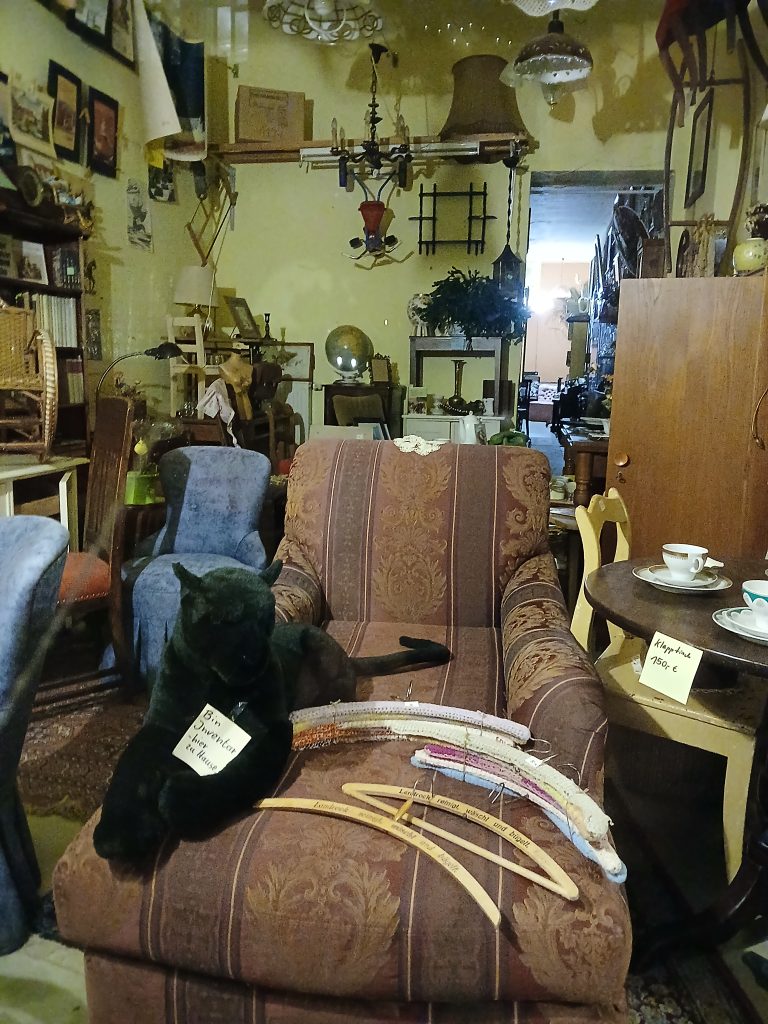
The interior of an antiques dealer in Berlin. It holds a variety of old furniture and knick-knack. Most prominently a stuffed panther with a sign around his neck that reads in German "I am inventory - I live here" Photo taken by Angela Kipp

You don’t have a database? Then, this article will help you prepare for the time you are getting one. It may even help you in deciding what system to chose.

The Problem

Sometimes, the mess in your database is even bigger than the mess in your storage. Do any of those sound familiar to you?

  • The same information was entered in different fields, depending on who did it.
  • A lot of records are only partly filled and the information contradicts the paperwork.
  • Some objects have more than one record while others have none.
  • Data is entered inconsistently, so you have “pipe wrench”, “wrench, pipe”, “multigrip pliers”, and “water pump pliers” and they all refer to the same kind of tool.
  • Typos and inconsistent data entry make it impossible to get exact results when you search your database.

It is tempting to just correct those as you go, while you are working with the objects and I am not saying that this is a bad idea. But if you really want to make progress and getting your database into an overall better state you need a more strategic approach to it.

The problem: While you are silently fixing all the inconsistent data entries, someone else may be doing the next messy one. You first of all should determine how you want the fields to be used. You might think you have a clear idea about this, but have you, really? And have you put that into written form?

First Step: What should go where and how?

Your first step is not about fixing what is in there, it is about making sure that your database is used exactly the way you want it. For that you are creating a document that lists all the fields you have and how you want them to be used.

Be precise. “A description of the object” for the free text field “Description” will let you end up from vague entries like “Bridal gown” to a two-page description on the history of bridal gowns copied over from Wikipedia. So, formulate how you want your description to be.

Example: Object Description

“The first sentence should state what type of object it is, the main color, and important characteristics. Think of it as a way you would describe it to someone who has to look for it in the storage but doesn’t have a photo. This might be followed by a couple of sentences about the characteristics of the individual piece that makes it different from another object of the same type. Think of things like an unusual ornament, a tear, or a large stain. The purpose of this field is to make sure we can identify this individual object without doubt.”

Also make clear when information doesn’t belong in the “Description” but in other fields in your database, for example:

“Analysis of the object condition belongs in the “Condition” field. Websites about this type of object belong in the “Web links” field. Mentioning of this object in exhibition catalogs belong in the “Associated Catalogs” field. Mentioning in literature should go into the “Bibliography” field. Remarks on the provenance and previous owners go into the “Object history” field.”

Example: Terms from Controlled Vocabularies

If you are using a field where you want the entry to be taken from a controlled vocabulary, for some fields it might be enough to write “pick the correct classification from the drop-down menu”.

Others might be more complex so you need to add more guidance. “Only use terms from Nomenclature” might be at least accompanied with a link to the website https://page.nomenclature.info/ and a few examples.

If you want your information to be picked from an even more complex source, for example Getty’s Art & Architecture Thesaurus for the material, a “use only terms from the AAT” by far isn’t enough. “This term is about documenting what the object is made of. Therefore, it should be taken from the ‘materials by composition’ branch of the Materials facet of the AAT.” Provide examples, so, whoever is using your document in the future knows what your idea was and how to do a correct entry.

Guiding principle: But can I find it?

Your guiding principle when thinking about how to add your data is how you are going to search for it. This will depend on clean data entry on the one hand but also on which search functionalities your database offers. Wordy entries in free text fields often result in a lot of irrelevant search results. By keeping those entries concise and compartmentalizing information in different fields you can search more precisely – if your database offers the possibility to search for the information in those fields separately.

So, with all the fields you are writing down, always think about how “future you” will be able to look that information up. It will help a lot with making sure you are not missing something important.

Second Step: But does it work like that?

After you have written all that, put yourself to the test. Catalog a few objects. 10-20 objects are a good testing sample. Make sure that they are from a large variety of objects. Documenting 10 plates will get you nowhere. Documenting a plate, a dress, a toy, a tool, a radio, and a taxidermied badger will give you a lot of variety. Your collections policy will help you pick a good sample. All objects that could potentially end up in your collection should be easy to catalog with the guideline you are creating.

While cataloging, you will notice that you have missed some fields and some aren’t fitting for all cases. Perhaps you need to use different ones. Perhaps you need to add new ones if your database allows for it. Perhaps you just have to specify how to enter information in the same field differently for some object groups.

Adjust and share

Make adjustments to your document and/or your database so you can really catalog everything that might come into your collection. Once you are satisfied, share the document, that you might now call a “cataloging guideline” or “documentation help file” with everybody who uses the database, not just those who are doing the cataloging. It will help people who only use the database for searching know where they can find the relevant information.

But I don’t have a database

If you don’t have a database yet but just an assortment of excel spreadsheets and/or index cards, writing such a guideline and doing a few tests in an excel spreadsheet that contains the fields you have in mind will help you determine what your new system needs to be capable of. Furthermore, you can use this spreadsheet for documenting your collection now according to your guideline and later you have that data ready to import into your new system.

Now onward to tackle the mess!

Once you are at this point you have achieved something amazing: from now on, whatever is cataloged in your database will get a clean, easy to retrieve record. Sometimes, there might be slight adaptions to the guideline necessary, but by and large everybody knows how data should be entered and if you find it isn’t, you do have your document to point them to how it is done correctly. Introducing new colleagues, no matter if paid or volunteers, to cataloging in your institution will get much easier.

Now you can work on getting the rest of the database in better state.

What kind of mess do you have?

Not all messes are created equal. Sometimes the core of the records is okay, they only need some adjustments and corrections here and there. Others are so bad that the only thing you can do is to quarantine those records in an area of your database (for example by moving them to a separate department, marking them with a checkbox, or giving them a special classification like “legacy record”) where you can look them up as a reference but do new, clean records for all your objects.

Creating new records for old stuff

If the latter is your case, you now have your guideline to follow through. You might want to check back in your “legacy records” if there is any information you might have missed. Sometimes there are hints to donors you can’t find in the paperwork. Make sure your new record notes this as “according to old record #…” so it is clear where the information comes from and that it probably has to be verified. Some systems allow to link to the old record and it might be a smart idea to do that.

Improving existing records one step at a time

If you decide that your existing records aren’t too bad overall, they just need to be corrected here and there, you need to break down this task down into manageable steps. A lot of database messes were created because someone started the work with good intentions but then couldn’t follow through and someone else picked up without any idea what their predecessor did or had in mind.

Knowing that, you will of course create a document with your database improvement strategy so if you have to leave off for some reason whoever comes after you knows what you did and why you did it.

Often, it is easiest to focus on one single field and correct that throughout the database than trying to rectify all the fields in one record at once. The repetitiveness of the task helps with speeding it up. For example, take all the tools and make sure their records show the right term in the material thesaurus, usually “metal” or “wood”, sometimes both. Then move on to the household items and do the same. Or stay with the tools, but this time, you are rectifying the classifications, so the “gooseneck chisel”, “chisel, carving”, “gouge”, and “pick” can all be found under “chisel” and get sub-classifications depending on their use or form. In no time you will have become an expert in the different types of chisels, so you get much faster in classifying them.

Involving Interns and Volunteers

It is easy to see how some of this work can be delegated to dedicated volunteers or interns. If they have good attention to detail they should be well able to take over some of those corrections. And since they are only correcting one area of an object record in a defined set of objects at a time, the results are much easier to check than if you would have asked them to do a whole new record for an object.

Do paperwork and database match?

Just like you went through material and classification, one step will involve going through your paperwork and making sure that everything you have a Deed of Gift for is recorded as gift and everything you have an invoice for is recorded as purchase. Again, you work in steps that make sense, in this case perhaps you go folder by folder or year by year, depending how your files are organized.

You might end up with a lot of object records you don’t have paperwork for and on the other hand paperwork that doesn’t seem to match anything you find in your storage. Make sure your database has a field for noting that, too. And of course, what should be recorded how in it becomes part fo your cataloging guideline.

Ultimate Goal: The Treasure Trove

Your ultimate goal is that your database becomes your reliable friend. If everything else is messy, your database is the place where you have a tidy record that tells you what you know about the object – and sometimes what you don’t know. It will become your point of reference while working on improving your collection in the physical world.

Angela Kipp
What does a jet have to do with managing previously unmanaged collections?

A fighter jet seen from the front. Through the windshield you see the pilot's seat but because of a circular optical device between the viewer and the seat there is a reflection that looks as if there is a globe filled with green clouds inside.  
Photo by Andreas Glöckner via Pixabay

Simple answer:

Nothing.

More complex answer:

I am in the process of translating the book into German and sometimes there are hiccups. In chapter 4, I talk about the difficulties of enforcing access policies for your storage area. A process which, as we all know, comes with all sorts of difficulties, the problem of taking the key from someone being a humiliating gesture in our Western culture being not the least of it.

In the English original, there is the sentence:

“Enforce the access policy with the three ps: persistence, patience, and politeness.”

Needless to say, such sentences don’t translate well. Usually you just rephrase them and let go of the idea that you can find three words starting with the same letter in the other language. However, I think I did find a way this morning:

“Halten Sie mit „Drei G“ an Ihren Zugangsbeschränkungen fest: mit Geradlinigkeit, Geduld und Gutem Benehmen.”

Finding three words starting with the letter G with the same meaning like the original (although the third one is cheating a bit, using two words) was already a big win. But the even bigger win was that this way I now have the double meaning of 3 G in it, alluding to the g-forces in physics.

I could of course take that analogy and run with it, saying that when we change longstanding processes and habits like we inevitably do when we start improving things in our collections, it means that we accelerate things and take people out of where they are used to go and expecting to go. And as we know from physics, if we accelerate things, a force is applied to the one being accelerated, which can have unpleasant side effects.

But I don’t want to overburden that little sentence. Instead, just imagine me giggling slightly when you come across it reading the book. 🙂

Angela

Let’s talk about data security: Restoring a TMS database

So, yesterday we took a backup of our TMS database. Today, we learn how to restore it. This is also a check you should be doing after having taken your first backup and also regularly after you have taken backups because like I have mentioned here otherwise you can’t be sure you have backed up anything. Or, like a friend of mine who deals with a lot of IT messes put it:

“I bought a book!”
“Are there words inside it?”
“Huh? Of course. I didn’t check, but there are always words inside a book, right?”

Before you haven’t checked, you just assume, you aren’t sure. And if there is one rule every collections professional knows by heart it is this: Never assume, always make sure!

Step 1: Again, log into the server you want the database to restore to and open Microsoft SQL Server Management Studio

You already know how to do that by now. If not, re-read step 1 in this article.

Step 2: Navigate to the Restore menu

Go to the folder “Databases”, right-click on it and select “Restore Database…”

Screenshot showing the tree structure from SQL Server Management Studio with the right-click menu enhanced on "Databases" and the menu item "Restore Database..." selected.

Step 3: Chose your backup file

Up comes a rather bleak screen:

Restore Database menu from SQL Server Management Studio with no file selected.

Go to “Device” and click on the three dots …

Same menu as in previous screenshots but with the radio button "Device" selected and an arrow pointing to the three dots menu.

You get another rather bleak screen from which you choose “Add…”

hot with a menu showing Backup type "File" and the option "Add..." to which an arrow points.

You are getting a look at your file system from which you select the backup file you want to restore from. You might remember I cautioned you to store it in a place you can easily find it in Step 6 in in the previous article, right?

Screenshot showing the menu with the file system. The folder "M:\Backups" is open and within it the file "AfterCI2025.bak" is selected

When you have found the right file, you click “OK”.

Same screen like the one before the last screenshot but now you see the file "M:\Backup\AfterCI2025.bak" in the window.

On the next screen you also click “OK”.

Step 4: Restore your database

Now you are on this screen again, but now it is populated with your chosen backup, including the date and time it would restore to:

Same screen as the first screen in step 3 but now the backup file shows up.

You can see how my database “Leer” (yours might be called “TMS” or something else) is showing up both as the source and as the destination. If you really want to overwrite your current database this is fine, for example because something went horribly wrong with your current database and you want to restore it to an older version.

But if you just want to test if our backup file is okay, you don’t want to do that! Imagine something went wrong with the backup. We would be overwriting our totally fine current database with a corrupted backup! Big mistake!

So, for testing, instead of the “Leer” as destination I simply typed another name. I chose “TMSTEST”:

Same screen as previously but this time there is "TMSTEST" instead of "LEER" in the Destination Database: line.

Then I clicked “OK”.

Same screen as before but now there is a line saying "Restoring M:\Backup\AfterCI2025.bak" at the top and a progress bar.

The database will now be restored to a new destination. If the backup file is okay and you have enough storage space you will get this screen after a while:

Same screen as before with a pop-up window "Database "TMSTEST" restored successfully".

You can now click “OK”.

Step 5: Test your database

You should now see an additional database in your databases folder (mine shows up, of course, as “TMSTEST” because I called it that way):

Screenshot showing the tree structure from SQL Server Management Studio showing an additional Database "TMSTEST" now.

If that worked fine, your backup file is okay. But just because I am a bit anal about my data, just to check, just to make sure, I run the mother of all TMS queries: “Select * From Objects”.

SQL query "Select * from Objects" run on TMSTEST giving back 67 rows with objects.

Only when it runs smoothly and the number of objects I get back matches my expectations, I am satisfied.

Housekeeping

Backup files are rather large. Which is logical, because they contain all your valuable data, right? So, after testing to make sure my backup is okay, I deleted that new database again by right-clicking on TMSTEST and choosing “Delete” so it doesn’t clog my server:

Screenshot showing the tree structure from SQL Server Management Studio with TMSTEST selected and the right-click menu enhanced with the item "Delete" highlighted.
Screen showing the "Delete object" menu, the checkbox "Delete backup and restore history information for databases" checked.

Also, because the backup files are so large, I tend to compress them before I move them to a different server. I use the software 7-Zip for it since it proved to be rather reliable (https://www.7-zip.org/). If you don’t have it on your server, you need to install it, first.

Go to your Windows Explorer and find your backup file. Right-click on it, choose “7-Zip” and select the option “Add to [whatever your backup is called].7z”.

Screenshot from the Windows explorer with the right-click menu open showing highlighted "7-Zip" and, following that "Add to "AfterCI2025.7z".

You can now see how the backup is compressed. Wait until it is done (fetch a coffee or a tea, this might take a while, depending on the size of your database).

Screenshot showing the progress bar with some data like the size, speed, and compression rate while the file is being compressed.

After it is finished, you will see a second file on your file system:

AfterCI2025.7z with 770.696 KB and AfterCI2025.bak with 8.195.192 KB

You will notice how much smaller the compressed file is. This is much easier to move to another server, unpack, and restore there, right?

Because I am paranoid I will move the .7z file to a cloud storage that I trust now and try if I can unpack it there without issues. If that is the case I can go back and delete the .bak file and just retain the smaller .7z file.

Take your backups, take them to a safe location, and take good care!

Angela

Let’s Talk About Data Security – Backups

As collections professionals we are trained to think about security. We constantly make sure that nothing gets damaged and lost, may it be in our own storage or while on loan, perhaps traveling from continent to continent for a new exhibition. But when it comes to data security we often rely on our IT departments and database managers. In a changing world we need to add data security to our registrar’s toolkit because if we don’t care about it, perhaps no one will be left to care about it. So, I am planning on writing a series of short articles on that topic.

Now, I am not an IT expert by any means. I am basically pulling together what I have learned over the years, drawing from resources I have at hand, ready to stand corrected and update you if something I wrote could be done better, easier, and/or more secure. I am thinking in this day and age, any guidance and ideas on how to safeguard our intellectual heritage is better than doing nothing at all. Feel free to contribute with your own sources and ideas.

I am starting with what I feel most comfortable writing about: Backups.

How often should I back up my database?

This is a risk analysis: How serious will losing all your data since you backed up the last time be? In some cases, once a week can be sufficient if you are the only person who works with it, you have all your changes tracked in another medium (for example written notes on paper), and you don’t enter more than just a few records a day. But if multiple people enter and change data during the day? Well, once a day seems highly recommendable, then.

What is the difference between full backup and differential backup?

A full backup stores ALL data of your database. A differential backup only records the changes to the last time you did a full backup. Which one to use when is about analyzing the risks associated with it. A database can get compromised without you noticing right away. In this case it is good if you can revert back to a full backup of an earlier stage, before it became corrupted and then try to extract the data that was added at a later stage from the other backups.

What backup method should I choose and how many backups shall I retain?

There are no hard rules and usually it is best to talk to experienced users of the same collections management system and to the vendor about what makes sense in your use case.

My rule of thumb: If I know I am entering more than ten records each day and do a lot of updating of other records, I will go with a differential backup every day and a full backup once a week. I will keep the backup of the last five days and a full backup from each of the previous four weeks.

But this is tailored for the case where only I enter data and nobody else. If you have a lot of people entering data there are more options of something going wrong, therefore you will want to do backups more often. This is of course also a question of how much storage space you can afford, but then again, you have to factor in the costs of losing data and the hours it takes to re-enter it. Do a proper risk analysis for your institution, then set up a fitting backup routine.

Where shall I store my backup?

Storing your database backup on the same computer you took it is as good as having not stored it at all! When your computer is destroyed either physically pr by a virus, you will have lost both your original database AND your backup.

Best practice is to have three instances of your data:

  • the original
  • a backup on site
  • a backup offsite

A cloud storage might be a good idea for the latter. In this day and age, maybe even a cloud storage outside of your own country. That way, if you are forced to delete data from your database (if this sounds like a far-fetched idea, let me remind you of this https://www.theguardian.com/us-news/2025/mar/07/military-images-trump-dei) your data will still be somewhere safe and unchanged.

You can also use an external hard drive that you store somewhere safe, preferably outside of the town or city your original database is situated because if there is a catastrophe in this area, your data might still be safe somewhere else. It has the advantage that you pretty much can control where your data goes and that it can’t be hacked, but the disadvantage is that if something happens to that hard drive, the data is lost.

In comparison, a cloud usually has its own backup routines that make sure that your data is safe. Ask the provider about it. Also ask them about their security measures and what data they share with third parties. Only you should have access to your data, nobody else.

Heads up: Make sure your data is actually backed up!

Just because you have taken a backup doesn’t necessarily mean you have a working backup. Once you have created a backup file, try if you can restore it. Caution: Restore it to a separate space, don’t use it to restore your actual database because you risk damaging a working database with a corrupted backup. Check this regularly and don’t assume that just because you can see a backup file on your drive your data is actually fine.

Final thoughts on when to delete backups

As said before, it is good to retain some backups because not all problems are discovered right away and it might take weeks to discover them. This is about keeping your current data safe and retrievable.

But you also might want to preserve the state of your current research. In the future, you might want to come back and compare how facts were recorded in 2024 and how that changed going forward. Your past records may become sources for future scientists and historians. So, it might be a good idea to take a backup NOW and keep that backup in a safe space for the future.

Next up I will be showing you how to take a backup if you are using TMS or TMS Collections. The way it is done in your software might be different, but perhaps it is a bit similar.

Take a backup now and take care!

Angela

Focus on what you CAN do, not what you CAN’T

In these past few weeks it seems that there were so many horrible things happening that just making a list of them feels overwhelming and exhausting. Some of the decisions of the current U.S. government have an impact on the global level, others hit people personally, some of whom are close friends. And then, there are those who seem to target the very core of our profession, like the shutting down of the Institute of Museum and Library Services (IMLS) and the termination of grants already awarded by the National Endowment of the Humanities (NEH).

It is hard not to lose all hope in this climate. And yet, aren’t we, as museum professionals, used to things not really looking pretty? Haven’t we battled budget and staff cuts before? Haven’t we brought uncomfortable truths in front of the eyes of our visitors and politicians before? Maybe the current crisis is not comparable to what we were confronted with before. But just as well, we are well trained in going against adversarial circumstances.

We have always done so with resilience, creativity, and, most of all, a sense of community. We might be spread out across the world and we might have spread ourselves thin by taking on too many responsibilities, but we are not alone. I have reached out to my network over the past few days to check in on some people, see how they are coping, and getting ideas of what can be done, because, in the end, focusing on what can’t be done never made anything better.

Ninja at a laptop, source: PenClipartVectors via pixabay (CC0)
A ninja sitting at a desk, typing away on a laptop.

Turns out that John E. Simmons had already started collecting what can be done to prepare for what is coming at us in something we registrars love: A list.

I contributed a few of my thoughts to it and we also asked some more colleagues to add to it. What I am posting here today is by no means a comprehensive and finalized list of what to think about and what to do, but it is a start. Feel free to add more ideas in the comments section, just like we enhance it going forward.

What Can We Do?

1. Apply the lessons that museums learned from Covid

  • A museum should have a plan for suddenly shutting down or having to reduce staff for a prolonged long period of time.
  • The plan should include cross-training for all staff so that a reduced staff can keep the institution functioning and care for the collections. Every staff member should be trained to do tasks that are normally not part of their duties so that they can help in the event of a prolonged emergency.
  • The plan should include what the museum can do to remain a destination for visitors during a crisis. This might include regulating the number of visitors in the museum at the any one time during a pandemic, reducing or eliminating admission fees for visitors during a prolonged financial crisis, and how responsibilities could be handled by a reduced staff. It is worth noting that a recent study revealed that art museums that charge admission spend an average of $100 per visitor but attract smaller audiences than free museums, and that there are costs associated with collecting admission fees that may not be recovered by the fee. Details can be found at https://news.artnet.com/art-world/us-museums-visitors-report-2622358).

2. Prepare the collections for long-term, low maintenance storage

by preparing the most sustainable and passive storage environment possible:

  • Improve the effectiveness of the collection storage furniture, containers, and supports to protect the collections (e.g., replace gaskets on doors, eliminate acidic materials, reduce lighting and UV in storage).
  • Keep the collection in order (each object in its proper place in storage) at all times (do not allow a backlog of out-of-place objects to build up).
  • Improve environmental controls and environmental monitoring procedures.
  • Maintain storage environment equipment in good order (e.g. replace filters, service equipment regularly, replace aging HVAC systems).

3. Protect the databases

  • Make sure that you have a fully up-to-date, readable copy of all important museum databases stored somewhere outside of the building, preferably in a hard format as well as electronic.
  • Make sure that both on-site and off-site databases are protected so they cannot be accessed by unauthorized personnel. Renew passwords and other project on a frequent, regular basis.
  • If the institution is forced to close, and you have a good backup copy, consider removing databases from the museum servers to protect confidential information.
  • When possible look into storing backup copies of your databases that are not only readable in a proprietary format of one vendor (who might be forced to hand your sensitive data over or might go out of business). If you database allows for it, export your important data as SQL tables or as comma separated values (.csv). Excel formats such as xlsx, xls, or ods are fine, too.
  • When possible move your sensitive data to trusted servers outside the U.S. that don’t belong to U.S. based companies who might be forced to hand your sensitive data over or delete your data.
  • As a rule of thumb: make access to your data for your trusted staff as easy as possible, but make deleting data from your database hard by setting up a robust rights management and whenever possible enable procedures to revert to earlier data entry points.

4. Update the institutional emergency preparedness plan

to include procedures for coping with sudden, prolonged shutdowns of the building.

5. Stock up on critical supplies

6. Download anything needed from federal websites

(such as the NPS Museum Handbook and Conserve O Grams or IMLS reports) immediately, while the information is still available. Store this data in a safe place that is only accessible to authorized personnel and make deleting those resources as hard as possible.

7. Keep in mind that most serious problem going forward will probably not be the cuts in federal funding

to the NIH, NEA, NSF, IMLS, etc., because most of this money goes to projects which can be postponed or funded by other sources (such as donations). The most serious problem will be the lack of funds resulting from damage done to the economy due to a combination of the rising deficit, increasing unemployment (e.g., the mass reductions in the federal workforce and corresponding loss of jobs in sectors that serve the federal workforce), and decreased tax revenues due to tax cuts for the wealthy, tariffs on imports, and cuts to social services. In other words, the predicted problems with the US economy are far more likely to be a bigger problem for museums than the loss of federal grant funds.

8. Reach out to your community and build strong networks

Let your community know that you need their support now more than ever.

Let them know that most small museums in their immediate area do not get federal funds directly, but do get support from their state humanities councils. Membership for these museums is usually less than $30 a year and they put the money to good use.

If you have lost funding from IMLS or NEH, let your community know. Here’s an example from a small museum explaining exactly what was lost:
“The termination of the NEH grant award and the loss of $25,000 are devastating for the Weston History & Culture Center. This funding was going to support our upcoming permanent exhibit…”

The people caring about your museum can write and phone their representatives to let them know they are not okay with what is happening right now.

Reach out to your colleagues in your area but also around the world. Local networks will make it easier to help each other out with supplies and hands-on tasks. Colleagues in other countries might be able to provide a safe space for your vulnerable data and might have had to deal with similar circumstances in the past, so might be able to contribute with knowledge and creative solutions.

Words of Cheer:

  • Museums existed long before the IMLS and other federal granting agencies, so they can survive this period, although many worthy projects and much research will be halted unless alternative funding can be found.
  • With preparation, museums can survive the coming crisis as they have survived other crises. There will be staff reductions and loss of opportunities, but with any luck, the situation will change within a few years.
  • Take a good look at your policies and procedures and investigate new laws and executive orders you are confronted with. Laws that are passed in a great hurry often contain contradictions and loopholes. Often asking for clarifications by authorities can slow processes down and work to your advantage. Often stalling a process in good faith can be much more effective than open opposition which puts you and your staff at risk.
  • Be prepared to be patient. Lawsuits and judicial decisions challenging the proposed changes will take time to go through the courts.
  • In the longer term, climate change and its effects on museum operations, the economy, and the behavior of the public is the greatest challenge to the future of museums, so the present crisis should be used to prepare for the future.

Best Advice:

If your institution does not have a plan for long-term survival during a financial crisis, the next pandemic, or climate change, get busy now to correct this deficit.

Helpful Information

  • Snider, Julianne. 2024. The Wheel is Already Invented: Planning for the Next Crisis. Collections: A Journal for Museum and Archives Professionals 20(2):347-359, DOI: 10.1177/15501906241232309
  • Susana Smith Bautista (2021)—How to Close a Museum. A Practical Guide (Rowman & Littlefield)
  • Christopher J. Garthe (2023)—The Sustainable Museum. How Museums Contribute to the Great Transformation (Routledge)

Some more notes

Share this resource freely with anyone you think needs to see this, no need to ask for permission. Add what applies to your special case. Let us know what we should add. Download, save, print, circulate.

Download List as PDF

Registrar Trek is hosted on a server in Germany and following EU laws. I am currently looking through all the plug-ins I use to make sure none of them collects and shares any personal data with the U.S. Or, in fact, anybody. I always was mindful not to collect any personal information but will double-check again if everything is safe.

Hang on in there, you are not alone!

A Beetle Is Not A Coffee Cup – Why Moving Natural History Collections Is Not Like Moving House

It might sound trivial at first that a beetle isn’t a household article but if you look closer, it isn’t. When a coffee cup breaks during a move you just go ahead and buy a new one. It gets annoying if it belonged to a set that went out of production a while ago. It becomes an irreplaceable loss if said coffee cup was connected to a special memory, for example because it belonged to your great-grandmother or because your child made it themselves.

Museum collections are pretty similar to the last case but now it isn’t just about the memory of one person or a family but about the history of humankind. Which means that the loss is far more grave.

Now, when it comes to collections of natural history an additional aspect comes into play: here, the loss of one object equals an irreplaceable loss of information that is important for current and future research. This is of course also true for art and history collections but in these cases at least the loss can be tempered if the object was well documented and digitized. Our beetle, on the other hand, is a repository in itself. Only this one specimen was collected at precisely that time and precisely that place and preserves all information about its environment at that time. No form of documentation and digitization can anticipate all the questions future generations of researchers will have. The preservation of that information is only possible by preserving the beetle itself.

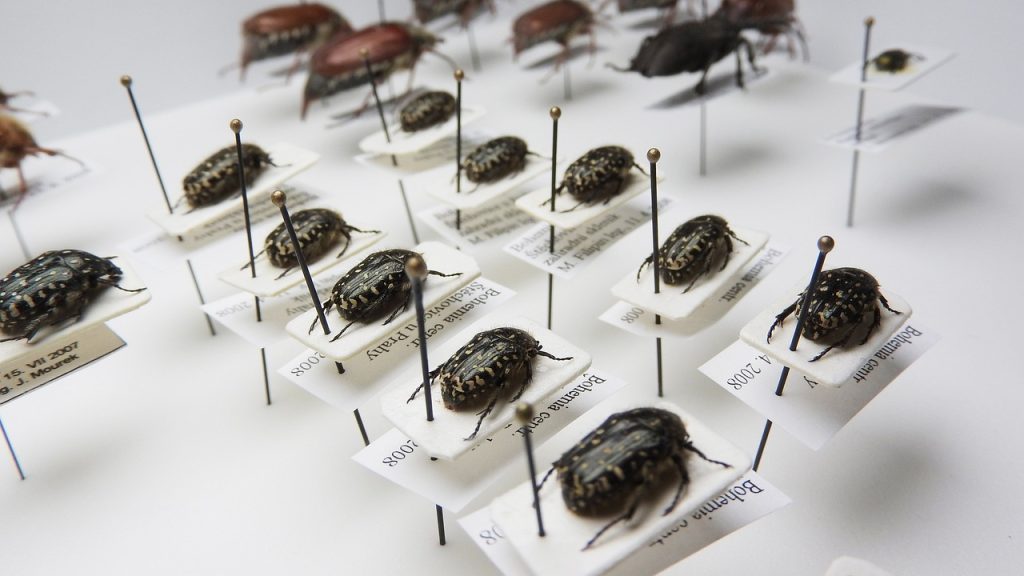
Beetles in a museum collection. The insects are sitting on a acid free cardboard which is pinned with the accompanying label to the drawer or showcase.
Beetles in a museum collection, photo by Markéta Klimešová via Pixabay

Not all beetles belong in a collection

Because the preservation of the objects is so important generations of researchers tried to keep them out of harm’s way. Now, natural history collections are especially attractive to pests and therefore every biocide the chemical research and industry discovered in the last centuries was used in them. DDT with insect collections, arsenic with taxidermies, mercury in herbaria, from nerve toxins to organophosphates you are handling everything that can harm your health or even kill you.

In case of a collections move this means you have to deal with two aspects absent from a conventional household or office move:

  • You have to prevent pests from getting to your objects during transit. This means that the items you are moving need to be packed the way no pests can get inside and that you have airlocks and quarantine stations on your transport routes so you can be sure nothing got infested.
  • When planning the work to be done in preparation for the move you have to keep in mind that you are handling toxic goods. In the past the use of biocides was rarely documented and the only way to be sure what you are dealing with is gauging your collection before you actually start working. This will tell you which precautions you have to take previous to packing and moving and what you have to account for in the new storage.

On top of that there is another danger: the objects themselves. Some of them are toxic or radioactive and therefore you have to treat, transport, and store them differently than your common coffee cup.

Packaged beetles – No package tourists

Transports get quickly done if things can be standardized. You know that from moving house: if you can use standard packing crates they will fit seamlessly into the truck. All you have to do is pack them in a save and reasonable way and avoid overloading.

In natural history collections there are many things that can be standardized: Our beetle will most likely be stored with a lot of its fellows in one drawer and this drawer can be neatly packed and moved with other, similar drawers. But a lot of other specimen don’t do their collections managers the same favor.

Many are stored in glass containers filled with alcohol or formaldehyde which means they are not only fragile but also sensitive to vibrations and their contents inflammable and noxious. You are also not allowed to transport them through a water protection area, which you have to account for when planning the shipment routes.

This is but one example of the many special, non-standard cases you have to deal with when planning the move of a natural history collection. Some specimens are so heavy you need to hire specialized riggers to move them. Others are so fragile you need to get special crates built for them. Many are both heavy and fragile. Then others are preserved by freezing them and if you want to move them you have to make sure the cold chain stays uninterrupted. A taxidermized giraffe or the skeleton of a whale can keep a whole team of experts occupied for days just to find the best way to move it.

Storing beetles – Not a case for your local furniture store

If you have read this far you already guessed it: if you want to store a natural history collection then this storage space needs to fulfill a lot of criteria. It has to deter pests, have a stable room climate, needs a good air circulation and has to be equipped with furniture that allows objects to sit in them for centuries without being damaged yet be easily accessible for research.

Different kinds of specimen collections can have very different requirements. High humidity is a problem for most of them because it enables mold and attracts pests but a room being too dry can cause problems as well. Fluctuations in temperature can rupture the skins on taxidermy specimens and cause fossils to break. An insufficient air ventilation might cause a high concentration of toxics in a room and/or introduce mold. Good collections storage provides the appropriate climate for each of its collections. They are built the way that even in case of an emergency that results in failure of all technology a good storage climate can be re-established by conventional means in such a short time that no permanent damage or even loss of objects happens.

Accessibility is part of a safe collections storage. You need to be able to remove one specimen in a way the other objects stored with it stay unharmed. Our beetle in its drawer is a real space saver, here. Other specimens need far more space. For example, it has to be possible to remove a specimen stored in a jar of liquid from its shelf without having to move other containers. This means you can’t fill your shelves to maximum packing density and you need more storage space but for a good collections storage this is inevitable.

For all these problems there are good solutions but they are not available in your local furniture or hardware store. There are experts and manufacturers who have specialized on these topics.

Whatever is planned for your final storage has consequences for your move: If your beetle is right now in a drawer that is contaminated by pesticides or simply doesn’t fit into your new storage furniture this beetle and its comrades have to move to a new clean and fitting drawer before the move. It is rather common that one big collections move means a lot of smaller moves beforehand.

Ask the beetle anytime

When art or history collections move they often put parts of their activities in collections, exhibitions, and research on hold. A natural history collection that is part of an international network of research institutions in most cases can’t afford this comparative luxury.

In effect, this means that the move has to be planned and executed very different from other moves. It isn’t possible to pack whole collections and store them in a compact and largely non-accessible way until the big move takes place. It must be possible to get access to every collection and every specimen at any given time.

In general, there are two ways of dealing with that: You can limit the time an object is actually crated and in transit, which means that preparation, packing, moving, unpacking, and storing is a matter of just a few days. Or you can crate the specimen in a way that access is possible at any time and without endangering the object itself and the objects packed with it even during the move. Both possibilities have advantages and disadvantages but they both mean that you need more space both in the location you are moving from and in the one you are moving to. It means as well that you need more time and more staff compared to other types of collection moves.

To sum up: Why moving beetles needs a sum of money

With your own experience of moving houses in mind the amount of time, money, and staff it takes to move a museum collection seems to be comparably high. An impression that quickly vanishes when you know the reasons.

Make no mistake, no museum collection is as such “easier” or “harder” to move. Every type has its own, unique challenges. But natural history collections are for sure among the most complex ones you will encounter. And they have a disadvantage: while everybody intuitively understands that you can’t just throw the Mona Lisa on the back of an old truck, a beetle is at first sight “just” a beetle. It isn’t at all obvious that this beetle is a repository that holds perhaps more important and undiscovered information than the well researched and documented artwork by Leonardo da Vinci.

This adds an additional challenge to a move that is already made complex by the variety and sheer masses of objects that have to be brought safely from A to B: the general public has to understand that a beetle is not a coffee cup.

Perhaps this article can help a bit with that.

Angela Kipp

Registrar Trek goes Washington D.C.

Fall is the season for conferences and this year I will be at Gallery System’s Collective Imagination in Washington D.C. from November 13 to 17. I am excited to meet a lot of registrars, collections managers, and other people involved in museum documentation there. Of course, I will speak about managing previously unmanaged collections, this time about how to tackle them if you are using TMS. If you attend as well, drop by and say “hi”. If you don’t attend but are in the area and like to meet for a coffee, drop me a line. I can’t promise it will work out, but I will be around on the weekends before and after the conference to get to know the city, so it might.

See you there!

Angela

View on the Capitol and the city of Washington by day from a heightened position.
The Capitol and the city of Washington, image by 12019 via pixabay.

How do I catalogue a smartphone app?

By Paul Rowe

Some app symbolsTraditionally museum collections were made of physical items covering everything from beetles to books, and archives to artworks. Photography collections consisted of the analogue works – negatives or prints of the photographs. The items being added to museum collections are increasingly born-digital works such as photographs taken on a digital camera or films recorded on a smartphone.
We recently had a question on our users’ forum asking for advice on how to catalogue a smartphone app. How do born-digital works fit within the traditional museum cataloguing process? Where do you start with more complex acquisitions such as software package or app?

Here are some general tips about cataloguing born-digital objects, as well as some notes on multimedia material that you might only have in analogue form (such as reels of film).

Link the source digital files

When cataloguing any born-digital works you should link the digital files directly into the catalogue. These could include a high resolution original image and smaller images derivatives if they’re used by your system. For a smartphone app, you may be able to link to still images from the user interface or a trailer/help video about the app.

You may also be able to link to web addresses for the digital material, such as GitHub source code page or Wikipedia page describing a more complex digital item such as a smartphone app.

Many systems will be able to automatically import metadata from linked files so that you have detail including creation dates and capture equipment, dimensions and duration.

Use the standard object cataloguing fields

Many of the fields used to describe traditional collections will still apply to multimedia material, including born-digital files. Typical fields that you might use are:
Object Type: a simple description of the type of material. e.g. Sound Recording, Smartphone app.

Measurements: if you don’t have duration as metadata directly in the digital file then running time and digital file sizes could be noted in the catalogue record.
Size Category: analogue film stock is usually stored in standard can sizes. These could be created as standard size categories in your system.
Display Requirements: describe the equipment required to play the recording or to use the app.
Format: e.g. Digital Video Disc, 35mm colour film, iOS app
Sound: e.g. Dolby 5.1
Colour: Technicolor
Scale: e.g. 4:3 or 1200px x 900px.
Timecodes: You can note the start and end time within an audio or video file of key clips or episodes. Each start and end time should have title or description noting the subject of the clip.
Special Features: Note features available on a commercial film release or special attributes of a software package or app.
Technical Details: Note any important technical details such as DVD Zone or Video codec.

Carriers versus Titles

Large audio or video collections often include multiple copies of the same recording. Each copy is often referred to as a Carrier. An example would be film, which the organisation may hold as a 16mm master copy, and as an analogue VHS and digital DVD copy for lending.
For larger catalogues it can be worth splitting the catalogue detail into a title record and linking this to multiple related carrier records. The title record captures the intellectual description (the title, who made it, when and where was it made). The carrier records describe details of the copies (what format are they in, where are they stored, what loans and conservation work have they been involved in). This is a more complex structure and is only necessary when large numbers of duplicate copies are managed.

Vernon CMS

This article was as a result of a question specifically about using Vernon CMS to catalogue a smartphone app. Our tips should be applicable to many similar cataloguing systems. You can read more about the Vernon Collection Management System on www.vernonsystems.com.


Paul Rowe is CEO of Vernon Systems, an New Zealand-based collections management software company. Vernon Systems develops software to help organisations record, interpret and share their collections. Paul is particularly interested in the use of web-based systems within museums and increasing public access to museum collection information. He is occasionally seen caving.

Mercury – A Tale of the Importance of Good Documentation

It’s a strange thing. The topic of hazardous materials in collections pops up every once in a while but as human beings we tend to forget about it because we consider that – of course – we know these hazards are there, but, then again, we are rather sure we know our own collection well and that if we act according to our safety precautions we are safe.
When mercury was found in the air in one of our storage areas during a pollutant analysis, I was shocked and surprised. Of course I knew we had mercury in our collection. We own a considerable number of thermometers and mercury switches. But until this day I considered our handling instructions and other precautions safe enough. This mercury was all contained, right? Yes, it was. But we never had thought of other sources, open sources that were hidden in our collection.

Discovering open sources of mercury & lessons learned

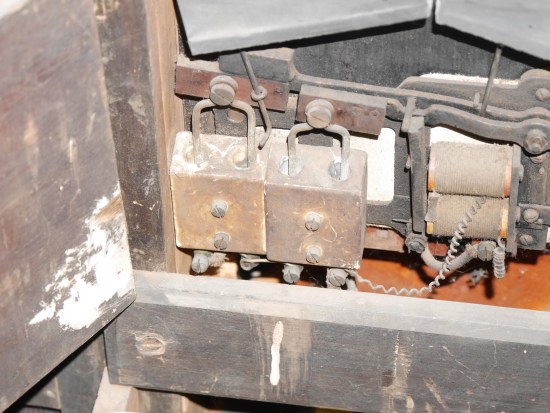
Automatic organ containing open mercury source (sorry for the poor quality of the pcture).
As we started to research our objects through the lens of “mercury” we discovered that, in fact, there were a couple of objects we never thought of. It turned out that there was an automatic organ which operated with contacts that dipped into mercury in some ceramic containers. In our medical history collection we had devices for counting thrombocytes in blood samples that operated with open mercury. However small, given that mercury evaporates at room temperature, even small outlets are an issue! There were barometers and even chronometers with open mercury sources. It was quite an effort to find out which sources we had. Even more to either remove or contain the mercury and seal and label the contaminated objects properly.
We learned quite a few lessons along the way:

  • Never assume you know everything about your collection
  • Never assume your policies and procedures cover every aspect
  • Never assume that you are safe, keep an eye on recent research

But maybe the most important lesson was about the importance of good documentation. And we learned it the hard way.

All expert knowledge at hand, but still…

Looking back, if someone had thoroughly researched the working principles of said objects, he or she would have discovered that they needed mercury to work. We don’t know if someone knew this when the objects were acquired. At least whoever did it, didn’t mention that they contained mercury in the documentation and the catalog entry.

Mercury switch inside of the automatic organ
It’s the disconnected working processes that are the real health hazard here! When we look at the classical museum setting there are different people with different knowledge involved in the documentation process. People whose skillsets are perfect matches but all their knowledge is useless if it isn’t interlinked in the workflow:
The curator might know best that mercury was necessary to make an object work, but might not be aware that mercury is a problem. The conservator has, due to his or her education, deep knowledge about dangerous substances but not about the object and might not see the object before it is stored if it is in good condition. Even if he or she checks its condition before it goes off to storage, the mercury might be hidden inside, so the conservator isn’t aware of the danger. The collections manager has some knowledge about dangerous substances but not about the object and might not be able to spot the danger if it isn’t widely known to his/her profession (like arsenic in taxidermied specimen is). The database manager has the knowledge about how to make dangerous substances retrievable in the database and maybe even know how to label them properly, but again, as he or she doesn’t have knowledge about the object, he or she doesn’t know there’s a problem.
Although all the experts work for the same institution, if they don’t assess the object together and bring their knowledge together, they are likely to overlook a danger and impose a health risk on colleagues, future researchers and visitors.

The importance of knowledge in cataloging

It is also obvious how dangerous it is when whoever is doing the catalog entry doesn’t have indeep knowledge about the objects. There is a tendency in museums to think that cataloging is a task that can be done by “whoever”. Knowledge isn’t important, every intern can key in a short description and some measurements, right? Of course we all know that’s nonsense, but arguing against it is tough. It’s hard to communicate what damage it does if dates, measurements and categorizations aren’t correct. With hazardous materials the danger should be obvious: someone doing the catalog entry who hasn’t enough knowledge to understand the working principles is likely to overlook the danger and therefore imposes a life threat to his or her colleagues and visitors.
If the curator can’t do the catalog entry him-/herself for a good reason (And: no, being too lazy/old/busy to learn how to do it isn’t a good reason, at least in my book!) he or she has to share his/her knowledge about the object with whoever does the catalog entry.

How to do it better

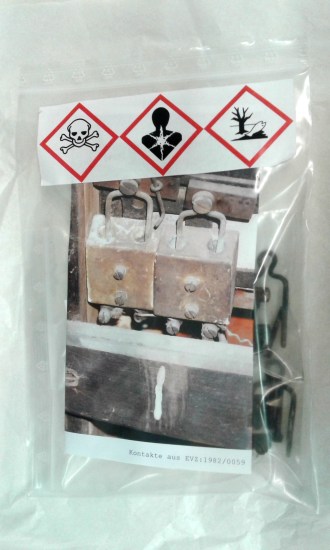
Objects containing mercury labeled according to international standards.
There are a few things that can be done to avoid unpleasant surprises:

  1. When an object is acquired, consult with everyone involved in the process. All the expert knowledge at one table will help to discover as many potential hazards as possible.
  2. If you are a one woman/man museum, make sure to reach out to experts in your area, your regional museum association or international experts via listservs and online groups to learn about the possible dangers your new acquisition contains.
  3. If the hazard is new, define safety precautions in handling and storage. If the hazard is long known, make sure your handling and storage precautions are still up to date with current research.
  4. In the database: make sure the hazardous material is named. In an ideal setting you do have a thesaurus of dangerous substances to pick from which are linked to safety precautions and correct labeling.
  5. In the database: make sure an object that contains dangerous substances is clearly distinguishable from other objects so everybody is aware that there might be special handling and storage precautions.
  6. In the storage: label dangerous substances according to international standards.
  7. In the storage: store hazardous materials according to the safety precautions. This might involve special containers or rooms with a ventilation system and handling instructions clearly visible on the container.

Live long and prosper!
Angela Kipp

CIDOC 2016 – Documentation is About People

As I was sorting my notes from the CIDOC conference in Milano1 I discovered that, unlike my notes from other conferences, it was hard to separate the sessions from one another and to separate my personal conversations with colleagues from the presentations and discussions at the conference. So, I gave up on summarizing the different sessions I attended and took a look at the big picture. Was there a leading theme, something that played a part in all sessions and discussions? Well, yes, there was, and, a little bit to my surprise it wasn’t something like “we need to contextualize our data more” or “we need better standards” or “we need to do more marketing for our profession”. The leading theme – at least for me – was: “Good documentation starts with people doing it and is only good if it is useful for people.”

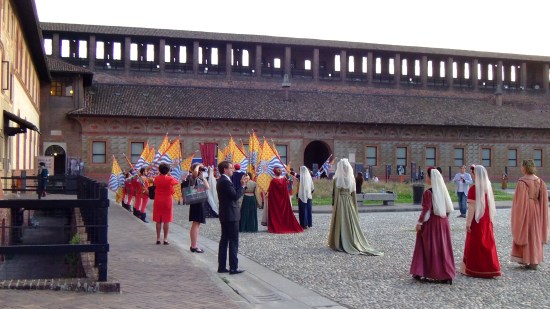
Colleagues enjoying the opening ceremony of ICOM 2016 Milano at Castello Sforzesco.

Take the presentation of Alexandre Matos about implementing standards in some museums in São Paulo: the translation of the SPECTRUM standard into Portuguese, the localization of it for the local needs and the implementation of some of the standards in three museums was made possible by people doing it – included, and maybe the most important of all, by people in the State Secretary who were convinced that having standards in museum documentation is a good and necessary thing. How many good projects towards professionalization in our sector are blocked because officials don’t deem them necessary?

It’s the same with other projects like developing a combined and enhanced textile thesaurus out of the diverse ones that already exist at the HTW in Berlin, or the “International Image Interoperability Framework (IIIF)” (http://iiif.io/) developed in Yale to support the work of researchers, or the experiences from automating processes in a museum library in Zambia. It all comes down to people who take the initiative to improve existing processes or to develop new ones – and not simply for the joy of doing it, but with their audiences and colleagues in mind.

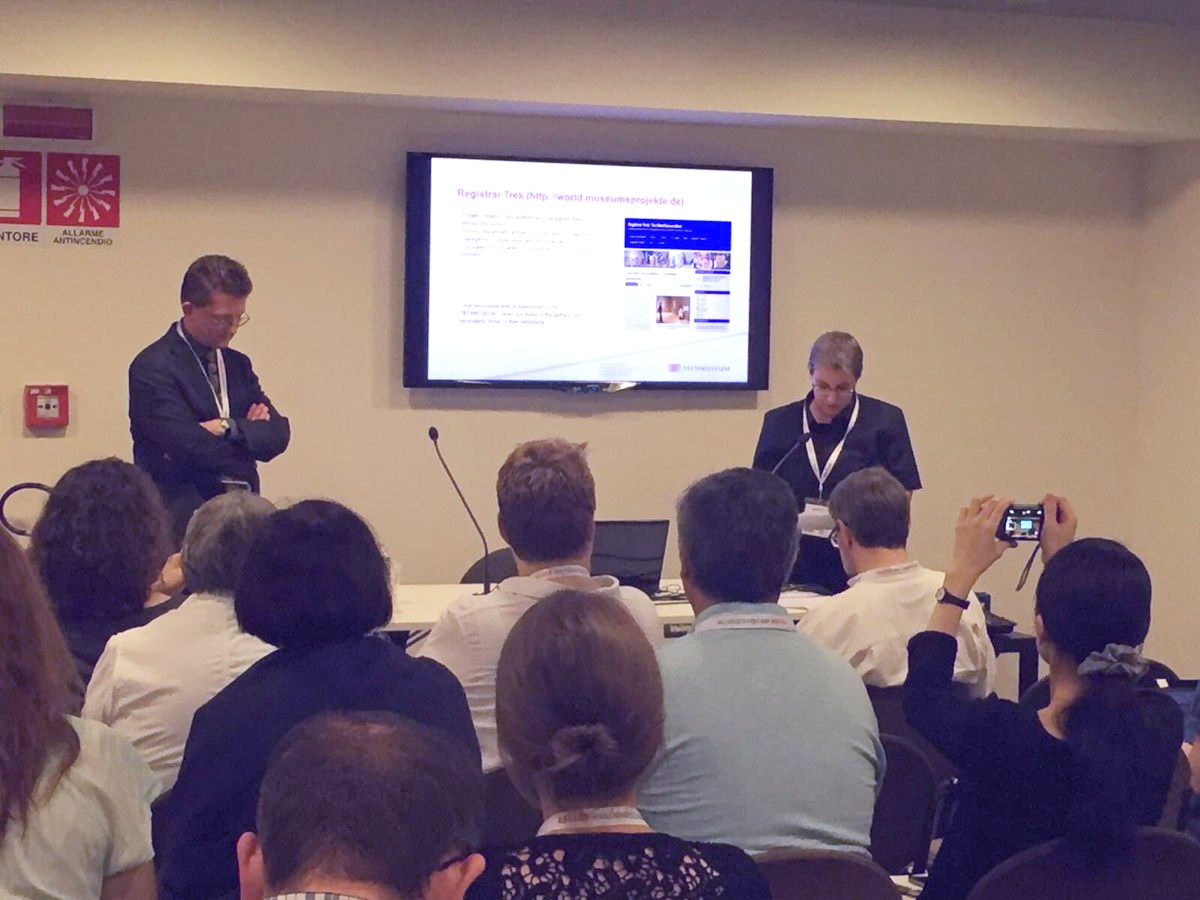
Presentation ”Spreading the word: explaining what Museum Documentation is - and why it is important“ (photo via @CIDOCevents)
Presentation ”Spreading the word: explaining what Museum Documentation is – and why it is important“ (photo via @CIDOCevents)
As a collections manager among documentalists I halfway expected that I would feel strange. After all, while I use our database often, my job is more about taking an object out of the location it tells me than about thinking about thesauri and definitions. But I discovered that the topics discussed where highly relevant to my own work. Maybe it struck me most in the presentation “Mind the gaps: missing connections in museum documentation” given by Michael Jones. He described the issue that in research there are often missing links because you either search for something in the archives or in the object database or in the picture archive, but you don’t find the relations between the items found. So, while you might find the diary of an expedition in the archives, you might miss that there are specimen found during this expedition in the storage area and pictures of the crew in the picture archive. It struck me, because it’s one thing we do often in our own database in the TECHNOSEUM. Whenever I find a connection between two artifacts I will document this connection in our database. When we have archival material about an object or it is mentioned in a book it is often already referenced in the object catalog entry. If an object was shown in a special exhibition, you will find the label text in our database. I always took this high amount of interlinking done for granted, nothing I gave a second thought. It was only here, at the CIDOC conference, that I learned that this isn’t something that goes without saying. And again, the reason that it is available are people. People working in documentation at the TECHNOSEUM who chose a database software that was able to provide such linking between different categories of material and who created field sets and implemented processes that make it easy for everybody to make such connections.

A project that immediately grabbed my attention and fascinated me was the “Encyclopaedia of Museum Practice” (http://cidoc-dswg.org/ ) that was initialized by Jonathan Whitson-Cloud. It is a project aimed at developing a multilingual wiki on museum terminology so everybody working in the field all over the world can look up terms and understand what they mean. We had a fruitful discussion about the project and some hands-on tries on the software. I shared some of the experiences we had at Registrar Trek with working multilingual. Again, this project is highly dependent on people just taking a heart and start adding terms and providing translations, so here I want to encourage you, the reader, to create a user account and start filling the “Encyclopaedia” with content!

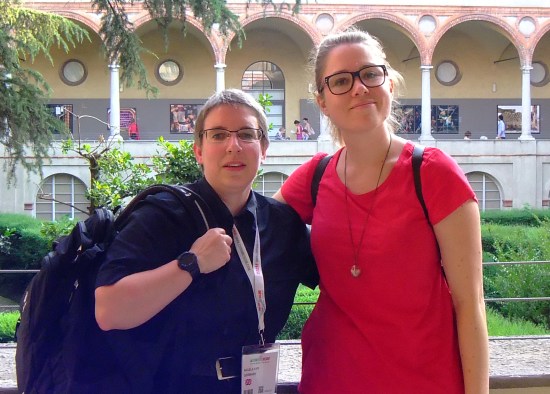
Marzia Loddo and I at the Museo Nazionale della Scienza e della Tecnologia "Leonardo da Vinci"
Marzia Loddo and I at the Museo Nazionale della Scienza e della Tecnologia “Leonardo da Vinci”
Maybe what I will remember most about the trip to Milan is the people I met and the conversations I had. And again, the topics of documentation played a role. When you are meeting with an art historian like Rupert Shepherd at the “Porta Nuova” in Milan you might learn that for a renaissance researcher this place is somewhere else than for the common tourist collections manager. Yes, terminology is important but we managed to find each other and fellow documentalist Susanne Nickel to enjoy a good Italian dinner together! Of course, there’s nothing better than swapping documentation horror stories with fellow documentalists and I did so with many colleagues I had never met so far or knew only via the internet – and with people I haven’t seen for quite a while. It’s funny that you might work next town for years but you need to go to Italy to see each other and have a cup of coffee or a glass of wine together. And I learned that nothing stops a Registrar Trekker! Marzia Loddo, one of our Italian translators, and I managed to meet each other although a couple of incidents including a broken washing machine tried to hinder us!

It was great fun, thank you Milan and maybe we meet each other while working on the “Encyclopaedia”?

Best wishes
Angela

This post is also available in Polish, translated by Marcin Mondzelewski, the translation originally appeared on the blog of the Polish Museum Registrar Association http://inwentaryzatorzy.blogspot.de/.

  1. You might like to take a look at the hashtag #CIDOC2016 on twitter to find what people found noteworthy while attending the conference.